

Weight Watchers Points Calculator Guide: The Ultimate Roadmap to 5-Star Success
Embarking on a weight loss journey can often feel like navigating a maze without a map. For decades, Weight Watchers (now WW) has provided that map through a unique system that simplifies complex nutritional science into a single, manageable number. The Weight Watchers Points Calculator is not just a tool; it is the engine that powers one of the most successful lifestyle change programs in history.
Unlike simple calorie counting, which treats a calorie from a cookie the same as a calorie from a carrot, the points system evaluates the quality of the fuel you put into your body. This guide will take you deep into the mechanics of the system, explaining how points are derived, how to manage your budget, and how to use this knowledge to transform your health.
The Evolution of the Points System
To truly master the calculator, one must understand how the algorithm has evolved. WW has updated its formula several times to align with the latest nutritional science. Understanding these variations is crucial, especially if you are using older materials or digital calculators found online.
From Basic Counting to PointsPlus
In the early days, the system was purely mathematical, based largely on calories and fat. However, this evolved into the PointsPlus system. PointsPlus was a revolutionary step forward because it began to penalize foods that were high in carbohydrates and fat while rewarding fiber. Under PointsPlus, fruit became zero points for the first time, acknowledging that no one ever gained weight from eating too many apples. This shift encouraged users to look beyond the calorie count and consider the energy density of their food.
The Era of SmartPoints
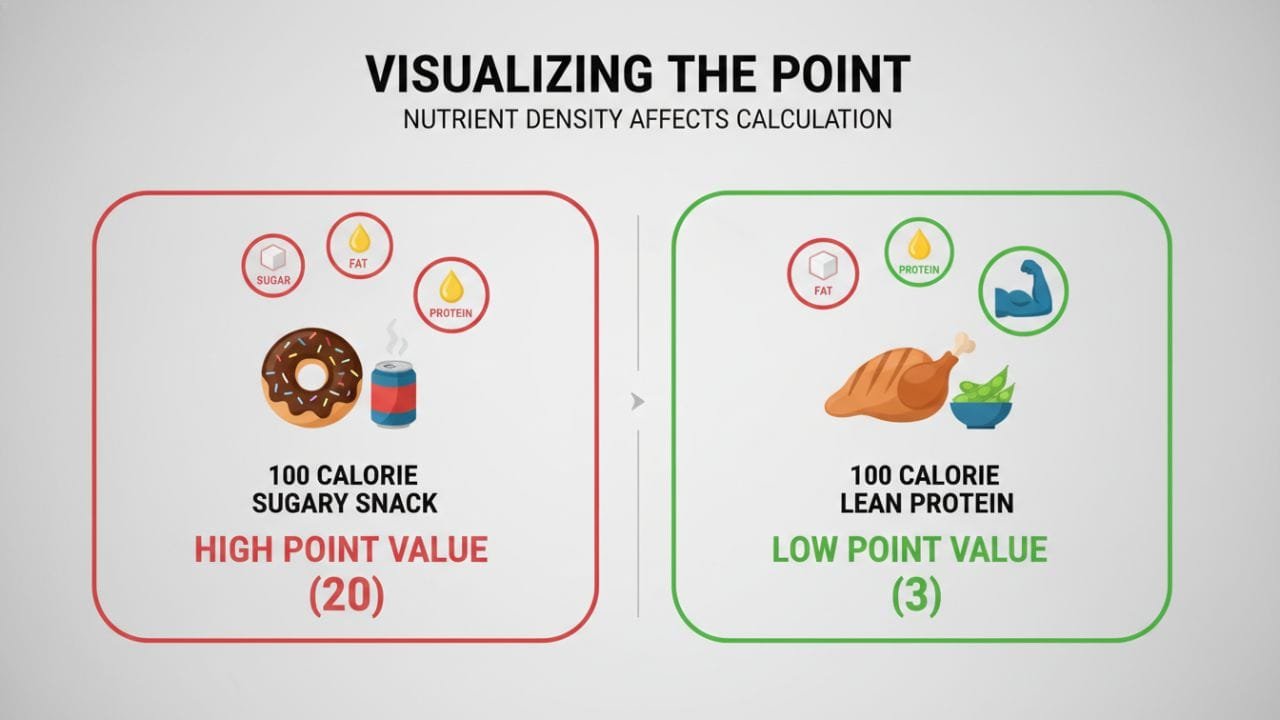
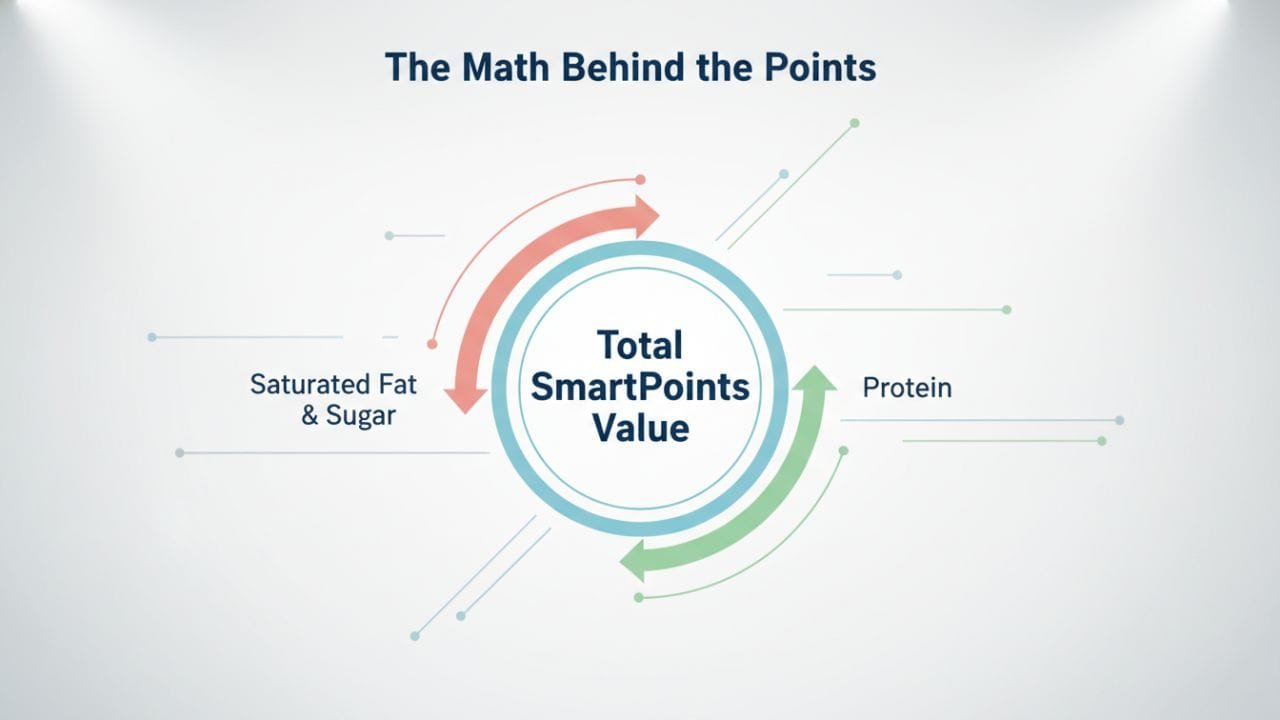
Following PointsPlus, the system transitioned to SmartPoints. This is one of the most significant overhauls in the program’s history. SmartPoints shifted the focus aggressively toward reducing sugar and saturated fat intake. In this calculation, calories serve as the baseline, but sugar and saturated fat drive the point value up, while protein drives it down. This change was designed to steer members away from “empty calories” and toward whole, nutrient-dense foods.
ProPoints: The International Standard
While the US moved to SmartPoints, many international markets, particularly in Europe, utilized the ProPoints system. ProPoints operates on a similar philosophy to PointsPlus but uses a slightly different distinct formula regarding how macronutrients are processed by the body. If you are using a calculator from a European source, it is essential to verify if it is calibrated for ProPoints or the current US standard to ensure your tracking is accurate.
The Customization of PersonalPoints
Most recently, the program introduced PersonalPoints. This system abandoned the “one size fits all” approach. Upon joining, members would take a quiz about their eating habits, and the algorithm would generate a unique zero-point food list and daily budget tailored specifically to them. While the core math relies on the SmartPoints foundation, PersonalPoints added a layer of individualization that made the calculator more flexible than ever before.
Cracking the Code: Nutritional Information
The magic of the Weight Watchers Points Calculator lies in the Nutritional Information found on nutrition labels. You cannot accurately calculate points without specific data points. The modern algorithm uses a weighted system to determine the value of food.
The Role of Calories
Calories provide the baseline energy value for the calculation. However, unlike a standard caloric deficit diet, the points system uses calories only as a starting point. If you are trying to determine your caloric needs to cross-reference with your points, you might find a calorie deficit calculator useful to see how the two methodologies align.
Why Saturated Fat Matters
Saturated Fat is a primary driver of high point values. In the calculator’s algorithm, saturated fat is penalized heavily. This is because high consumption of saturated fats is linked to heart disease and other metabolic issues. Two foods might have the same calorie count, but if one is high in saturated fat (like a sausage) and the other is low (like a turkey breast), the sausage will cost significantly more points.
The Impact of Added Sugars
Added Sugars are the second major penalty in the calculation. The modern food landscape is filled with products containing hidden sugars that spike insulin levels and lead to cravings. The calculator identifies these sugars and increases the point cost of the item. This encourages members to choose natural sweetness, like fruit, over processed sweets.
The Benefits of Fiber
Fiber is your friend in the points equation. Fiber aids in digestion and helps you feel full longer. In older versions of the calculator, fiber would directly subtract points from the total. In current iterations, it helps mitigate the impact of carbohydrates. High-fiber foods usually result in a lower point value, encouraging the consumption of whole grains and vegetables.
The Power of Protein
Protein is the most highly rewarded macronutrient in the system. Because the body uses more energy to digest protein (the thermic effect of food) and because it is essential for muscle maintenance during weight loss, the calculator lowers the point value of foods high in protein. This is why a sugary protein bar might have fewer points than a candy bar of the same caloric weight.
Mastering Your Point Budgets
Success on the program depends on how well you manage your currency. There are three distinct “bank accounts” of points you need to understand to balance your week effectively.
Your Daily Point Budget
Your Daily Point Budget is the allowance of points you are given to spend on food and drink every 24 hours. This number is calculated based on your age, gender, weight, height, and activity level. It is designed to create a safe and sustainable caloric deficit. Most users aim to use their entire daily budget to ensure they are eating enough to fuel their bodies.
The Safety Net: Weekly Points
Life happens. Birthday parties, work dinners, and cravings are real. That is where Weekly Points come in. This is a buffer of extra points given to you at the start of your week. You can split them up evenly over seven days, save them all for a big weekend meal, or not use them at all. They provide the flexibility required to make this a lifestyle rather than a restrictive diet.
Earning Activity Points
To encourage movement, the system allows you to earn Activity Points (sometimes called FitPoints). When you exercise, the calculator adds points to your weekly budget. Whether you are walking the dog or lifting weights, these points reward effort. If you are curious about how exercise impacts your overall expenditure, checking a BMR calculator can help you understand your baseline energy burn before activity.
Strategic Eating: ZeroPoint and Food Values
Not all foods require a calculator. The system is designed to steer you toward foods that are so healthy, you don’t need to track them.
The ZeroPoint Food List
The ZeroPoint Food List is the cornerstone of the modern program. These are nutritional powerhouses that you can eat without weighing, measuring, or tracking. Depending on the specific plan variation you are on, this list typically includes:
- Non-starchy vegetables (spinach, broccoli, peppers)
- Fruit (apples, berries, bananas)
- Lean proteins (chicken breast, turkey, eggs)
- Legumes (beans, lentils, peas)
The philosophy is simple: these foods are hard to overeat and are packed with nutrients. They form the base of your diet, allowing you to save your calculated points for foods with higher energy density.
Calculating Food Point Values
For everything not on the ZeroPoint list, you must determine the Food Point Values. This includes bread, dairy, red meat, nuts, and packaged snacks. Using the calculator for these items teaches you portion control. For example, you might realize that a small portion of avocado is “expensive” in points due to healthy fats, meaning you should enjoy it in moderation.
Comparing Plan Variations
Over the years, WW has offered different “colors” of plans (Green, Blue, Purple) which offered different balances of daily points vs. ZeroPoint foods. Here is how they generally compare in terms of calculation structure.
| Plan Type | Daily Point Budget | ZeroPoint Food List Size | Best Suited For |
|---|---|---|---|
| Green Plan | Higher Budget | Small (Fruits & Veggies only) | People who want to track everything and need portion control for all foods. |
| Blue Plan | Moderate Budget | Medium (Fruits, Veggies, Lean Proteins) | The standard balance. Good for those who cook at home often. |
| Purple Plan | Lower Budget | Large (Includes Potatoes & Whole Grains) | People who want to track less and focus on whole food eating. |
The Digital Toolset: WW App vs. Manual Calculators
In the modern era, the WW App is the primary method for tracking. It includes a barcode scanner, restaurant database, and recipe builder. The app automates the complex math of SmartPoints and PersonalPoints, taking the guesswork out of the equation.
However, manual calculators and third-party apps still exist. These are useful for those who want to understand the math behind the app or who prefer a paper-and-pencil approach. If you are using a manual calculator, ensure you have the current formula variables (Calories, Sat Fat, Sugar, Protein). Using an outdated calculator slider from 2010 will yield results that do not match the current program’s efficacy.
Sample Calculations
To understand how the calculator penalizes and rewards different nutrients, let’s look at a comparison of three different snack items that all contain roughly 200 calories.
| Food Item (200 Calories) | Nutrient Profile | Estimated Points | Why? |
|---|---|---|---|
| Glazed Donut | High Sugar, High Sat Fat, Low Protein | 9-10 Points | The sugar and saturated fat trigger a high penalty in the algorithm. |
| Almonds | Moderate Fat, Fiber, Protein | 6 Points | Healthy fats cost points, but fiber and protein mitigate the total. |
| Grilled Chicken Breast | Zero Sugar, Low Fat, High Protein | 0 Points | Classified as a ZeroPoint food due to high satiety and nutritional value. |
This table illustrates why the points system is superior to calorie counting. While a ideal weight calculator can tell you where you want to be, the points calculator teaches you how to eat to get there by favoring the chicken over the donut.

Conclusion
The Weight Watchers Points Calculator is a powerful ally in the battle for better health. It bridges the gap between strict calorie counting and intuitive eating. By assigning values based on Nutritional Information like Saturated Fat, Added Sugars, Fiber, and Protein, it trains your brain to crave nutrient-dense foods.
Whether you rely on the WW App, utilize your Weekly Points for a treat, or stick strictly to the ZeroPoint Food List, the math works if you work it. Remember, the goal of the calculator is not just to track numbers, but to gain the freedom to enjoy food while achieving your wellness goals.
Technical Resources & References
To ensure the highest accuracy in your health journey, it is helpful to understand the technical terms often used in nutritional science and weight management algorithms.
- Macronutrients: The three major nutrients required by the body in large amounts: carbohydrates, proteins, and fats. These are the primary inputs for point calculations.
- Thermic Effect of Food (TEF): The amount of energy expenditure above the basal metabolic rate due to the cost of processing food for use and storage. Protein has a high TEF.
- Basal Metabolic Rate (BMR): The number of calories required to keep your body functioning at rest. This is a key factor in determining your Daily Point Budget.
- Glycemic Index (GI): A value assigned to foods based on how slowly or quickly those foods cause increases in blood glucose levels. This concept influences how the algorithm treats sugar.
- Energy Density: The amount of energy (calories) in a specific weight of food. Low energy density foods (like vegetables) usually have lower point values.